A points system the whole family understands
Earn
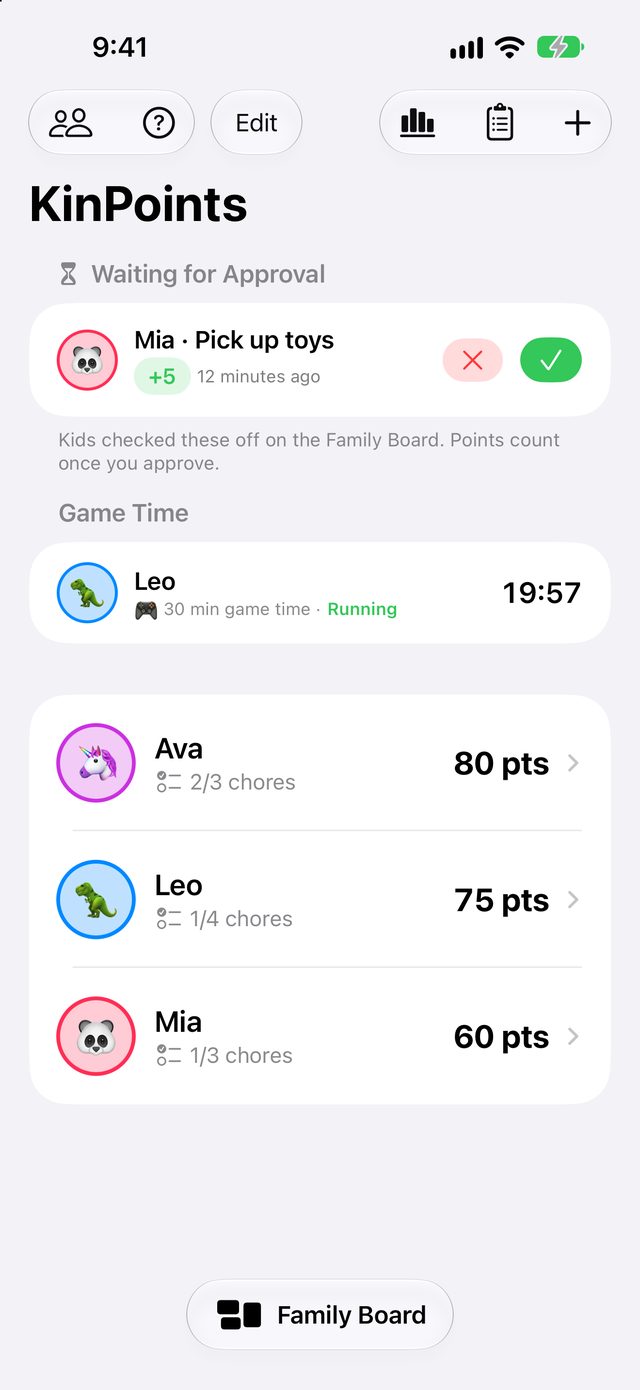
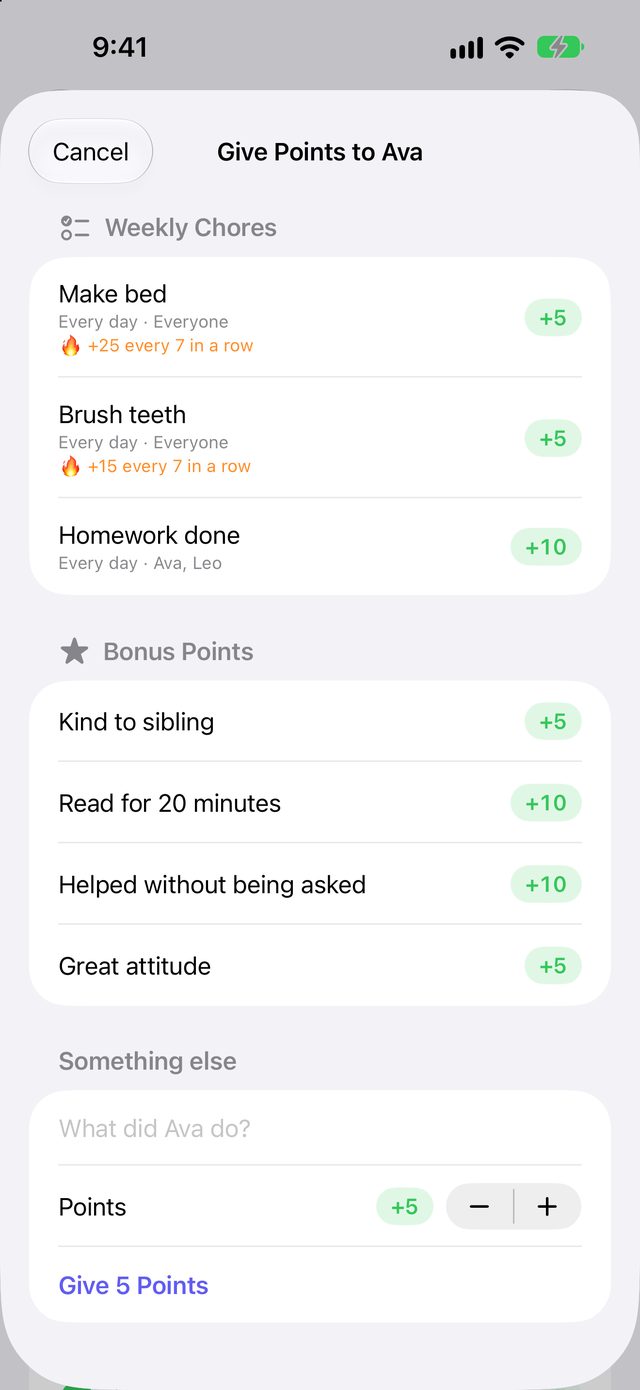
Daily chores with a checklist for each child, plus one-tap bonus points for kindness, reading and helping out.
Lose
Set up deductions once and apply them in a tap. Balances can dip below zero, so kids earn their way back before spending.
Spend
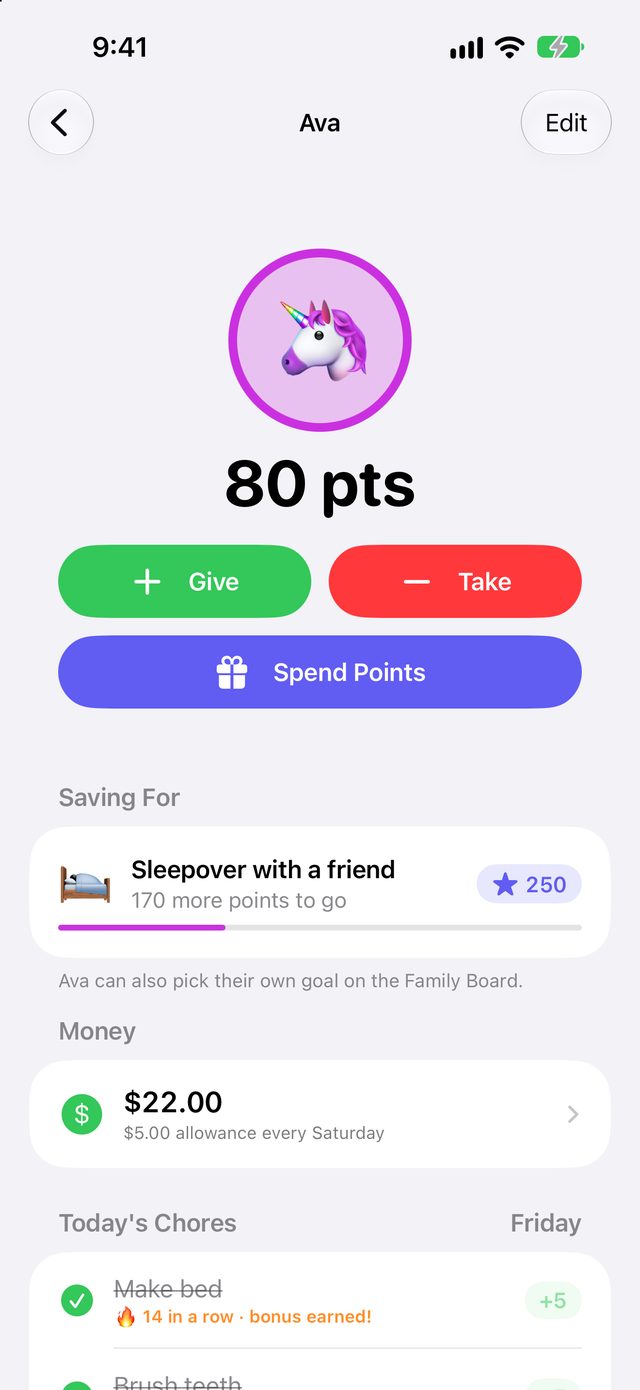
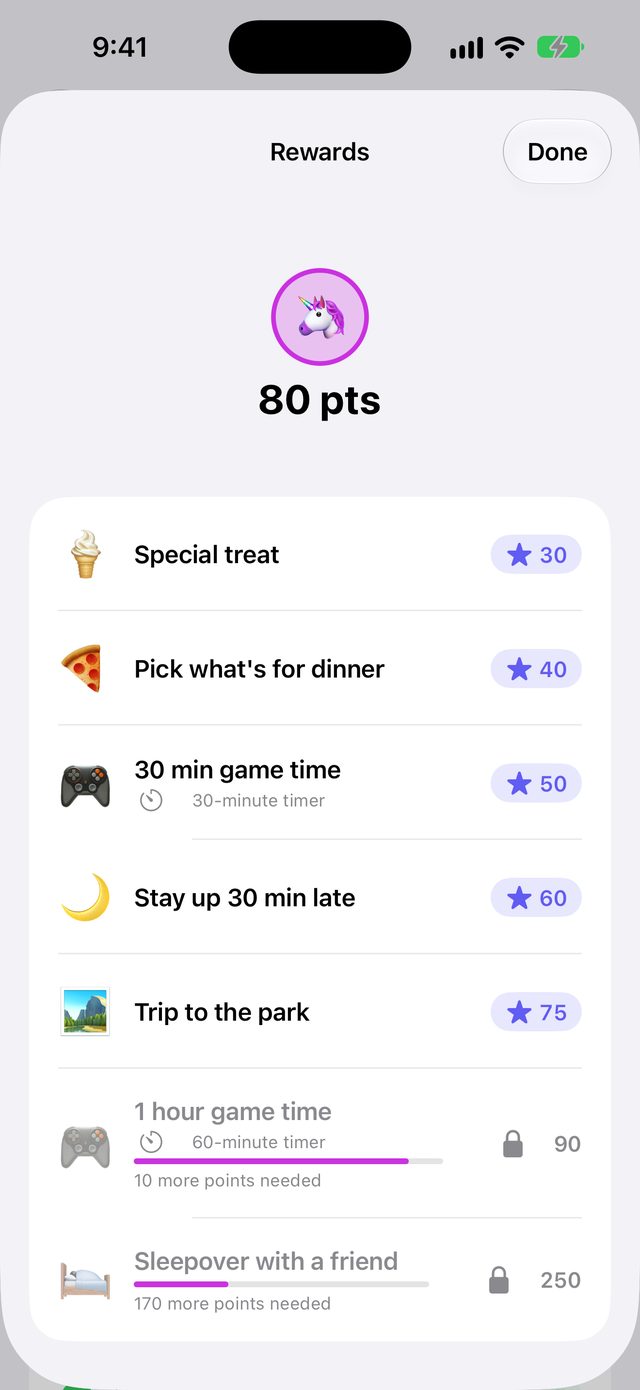
A reward store with prices you set. Kids can save toward a goal and watch the progress bar fill up.
Give points in one tap
Set up your family's chores, bonuses and deductions once. After that, giving or taking points takes a second, from the app or your home-screen widget.
- Assign chores to specific kids, or to everyone
- Streak bonuses and first-to-finish bounties
- A daily reminder with the chores still left
Screen time that ends on time
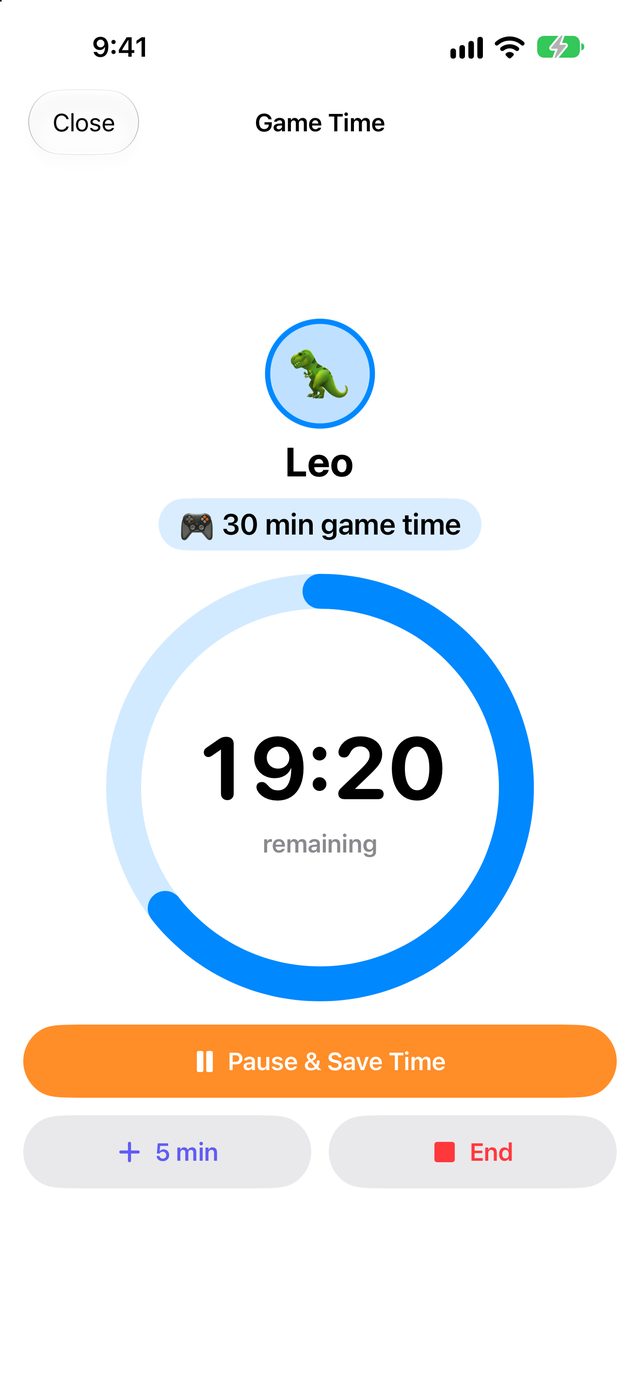
When a kid spends points on game time, a countdown starts. It shows in the Dynamic Island and on your lock screen, with alerts at 5 minutes and when time's up.
- Pause and save the rest for later
- Every alert names the child and the reward
More ways to earn, and real money too
Post a one-off job like "Wash the car, +50" for one child or for anyone, and the first to finish gets the points. Kids can grab bounties on the Family Board themselves.
Pay a weekly allowance on the day you choose, let kids cash out points at your family's rate, and keep track of birthday money and spending, all apart from points.
- Savings goals with a progress bar toward a big reward
- Allowance is added on payday, even if nobody opens the app
- Points and money stay separate, so nothing gets mixed up
Turn your kitchen iPad into a board just for kids
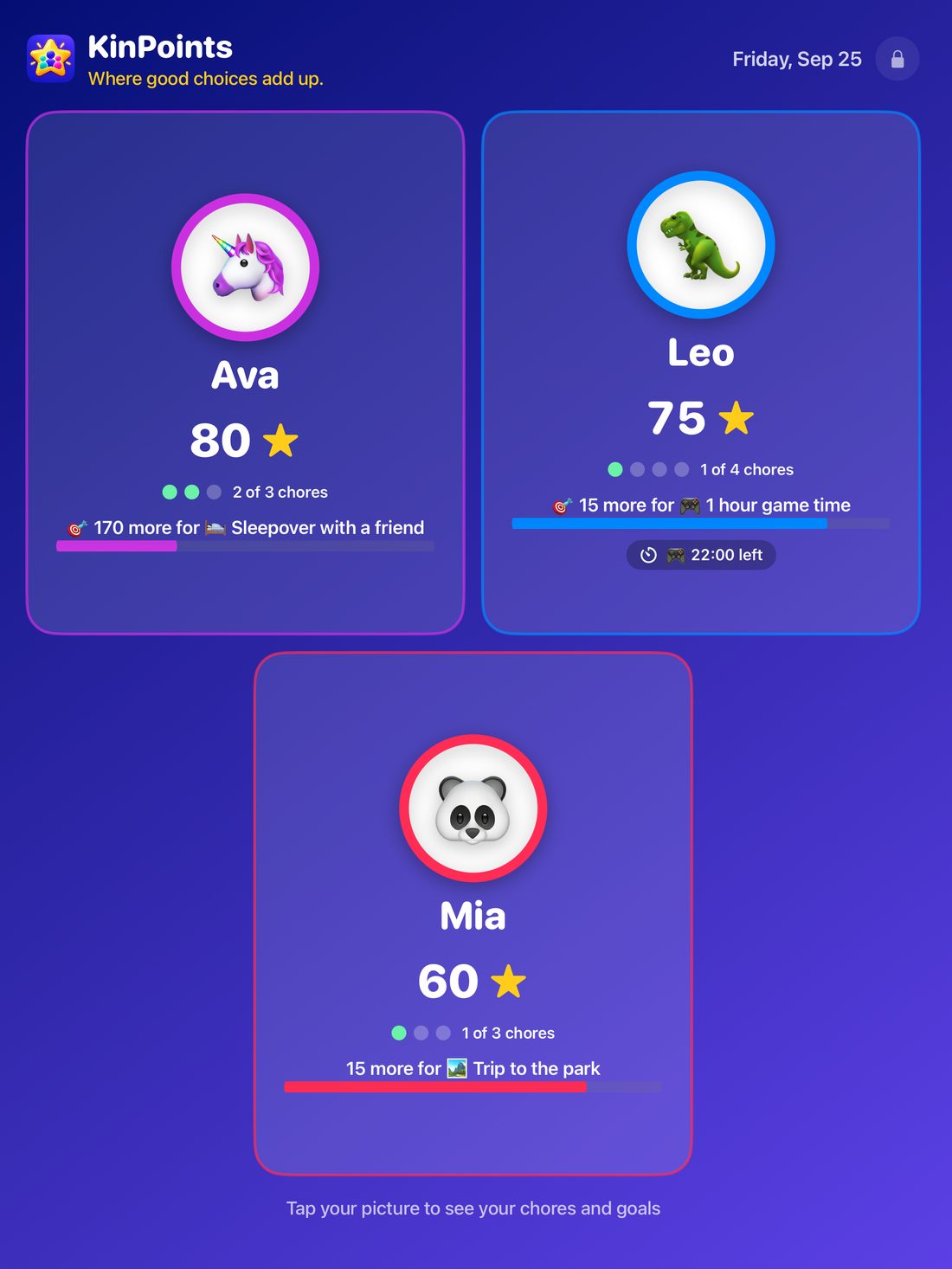
Big, bright and encouraging. Each child sees their stars, today's chores and how close they are to their next reward. They check off chores themselves, and a grown-up approves before points count.
It shows the time and weather, never shows deductions, and turns into a bouncing-bubble screensaver when nobody's looking.
One family, every grown-up
Invite your partner, grandparents and babysitters with a link. Parents can change everything, and helpers can give points and approve chores. Every entry shows who gave it, like "Made bed +5 · by Mom".
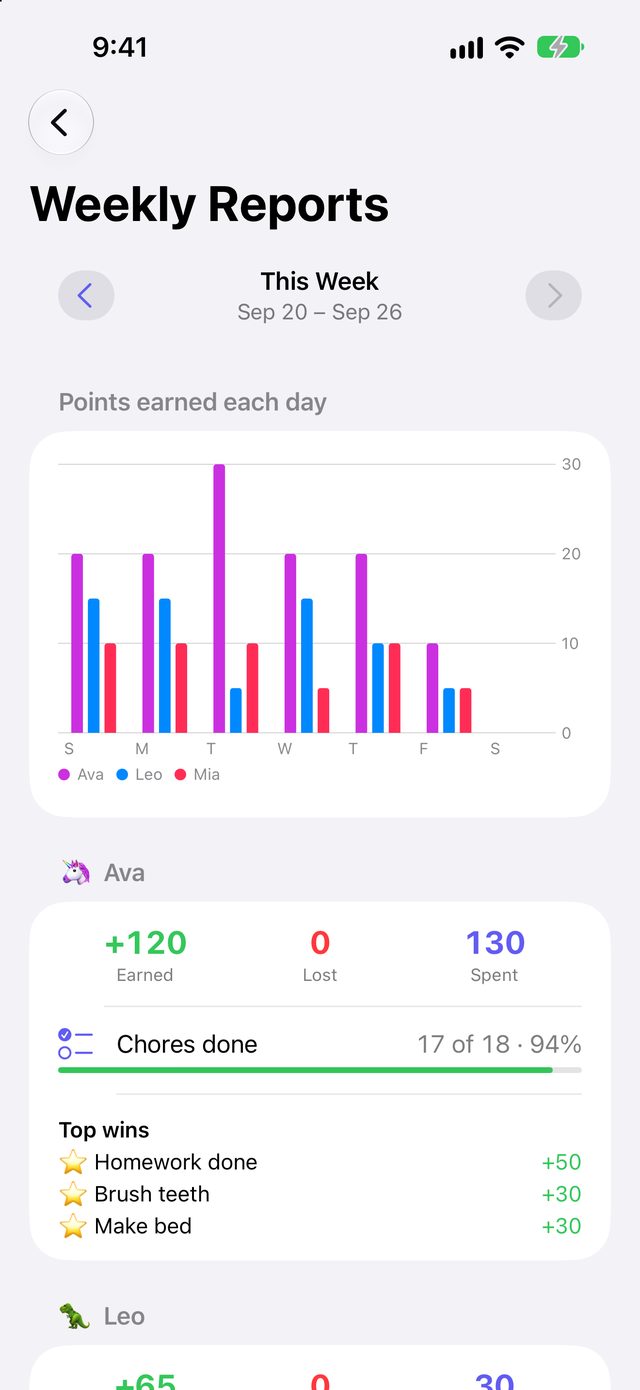
- Weekly reports for every child
- Allowance and money tracking
- Ask Siri how many points a child has
Everything KinPoints does
Daily chore checklists
Pick the days each chore is due and which kids do it. Check them off in a tap.
Bonus points
Reward kindness, reading and helping out whenever you spot it.
Deductions
Set them up once and apply them in a tap. Kids earn their way back from below zero.
Take points if not done
Turn it on for any chore and it costs points if it's missed. Off by default.
Skip a day
Sick day or away at Grandma's? Swipe a chore away and it won't break a streak.
Fix a forgotten day
Go back up to a week to check off or undo chores. Points are dated that day.
Reward store
Game time, a later bedtime, a trip for ice cream. You set the prices.
Game-time timer
Spending points on screen time starts a countdown with alerts at 5 minutes and at zero.
Daily reminder
An evening nudge listing the chores still left, so no one misses their points.
BountiesPLUS
One-off jobs for one child or for anyone. The first to finish gets the points.
Allowance & moneyPLUS
A weekly allowance on payday, cash out points, and track birthday money and spending.
Savings goalsPLUS
Each child picks a reward to save for and watches the bar fill up.
Streak bonusesPLUS
Extra points for keeping a chore going day after day. Skipped days don't break it.
Weekly reportsPLUS
Each child's wins, chores done and trends at a glance.
Family BoardPLUS
A bright kitchen-iPad board where kids check off chores and grab bounties.
Live timerPLUS
Game time counts down in the Dynamic Island and on the lock screen.
Widget buttonsPLUS
Give and take points right from your home screen.
SiriPLUS
Ask how many points a child has, or which chores are left.
Helpers & more parentsPLUS
Invite grandparents and sitters to give points and approve chores.
PLUS Included with KinPoints Plus. Everything else is free.
Your family's information stays with your family
No accounts
No sign-up, no passwords, no email address. Just open the app and add your kids.
No ads or tracking
KinPoints has no advertising and no third-party tracking of any kind.
Your own iCloud
Everything is stored on your devices and in your iCloud account. We can't see it.
Free to start. One upgrade for the whole family.
KinPoints
- Up to 2 kids and 2 parents
- Chores, bonus points and deductions
- Take points if not done, skip a day, fix a forgotten day
- Reward store and game-time timers
- Daily reminder
- Private iCloud sync, no ads
KinPoints Plus
Everything in Free, plus all of this. One purchase covers every grown-up and device in your family.
- Unlimited kidsAdd as many kids as your family has.
- Family BoardA kitchen-iPad board where kids check off chores and grab bounties.
- BountiesOne-off jobs for whoever finishes first.
- Allowance & moneyWeekly allowance, cash out points, track spending.
- Savings goalsA progress bar toward a reward each child picks.
- Streak bonusesExtra points for doing a chore day after day.
- Weekly reportsWins, chores done and trends for every child.
- Live game-time timerIn the Dynamic Island and on the lock screen.
- Home-screen widget buttonsGive and take points without opening the app.
- SiriAsk about points and chores left.
- Helpers and more parentsGrandparents, babysitters and more grown-ups.
Questions parents ask
Do my kids need their own phones?
No. Parents run KinPoints on their own phones. If you'd like kids to check off their own chores, put the Family Board on a shared iPad, and a grown-up approves each one.
Can my partner and I both use it?
Yes. Invite them from the Family screen and you'll share the same kids, points and history. Grandparents and babysitters can join as helpers with KinPoints Plus.
What's a bounty?
A one-off job worth extra points, like "Wash the car, +50". Offer it to one child or to anyone. The first to finish claims it, and a grown-up approves before the points count.
How does allowance work?
Set an amount and a payday for each child, and KinPoints adds it automatically every week. You can also let kids trade points for money at a rate you choose. Money is tracked separately from points.
Can a chore cost points if it's not done?
Yes, if you want. Turn on "Take points if not done" for any chore. If nobody checks it off by the end of a day it's due, its points come off. Skipped days don't count, and checking it off later gives the points back. It's off unless you turn it on.
I forgot to check off yesterday's chores. Can I fix it?
Yes. Use the arrows above a child's chores to go back up to a week, then check off (or undo) anything for that day.
What happens if a child's balance goes negative?
They can't spend points until they've earned their way back above zero. On the Family Board they see "Earning back to ⭐0" instead of a red number.
Does one purchase cover the whole family?
Yes. When any parent has KinPoints Plus, every adult and device in your family gets it too.
Is there an Android version?
Not yet. KinPoints is for iPhone and iPad.